
Welcome
Thank you for applying to become a Field Representative for the store audit program. For the best experience and to make sure that you don’t run into issues, please read this entire page as I answer all of the most common questions here.
This program is run by Hetal Retail, a fast-growing retail intelligence platform that uses AI and computer vision to analyze crowdsourced in-store video. The goal is to help brands gain real-time visibility into store conditions such as:
Missing products
Pricing errors
Out-of-stock issues
Misplaced displays
You will be capturing structured video inside major retailers including Walmart, Target, Sprouts, Whole Foods, and Kroger (launching soon).
Please read this page to inform yourself, and then download the Hetal App to get started.
Important: Relationship Clarification
Hetal and IRL are separate entities and are in no way related.
All brands on the Hetal app are clients of Hetal, not IRL.
You are completing assignments for Hetal, not IRL
Hetal is responsible for making all payments, not IRL
IRL is assisting Hetal with recruiting field reps only.
For all payment or platform-specific issues, Hetal is the responsible party and you should contact support@hetalretail.com
Payment & Earnings
Assignments display a fixed payout amount in the Hetal app.
You are paid for completing the entire assignment, not per aisle. Partial submissions do not receive partial payment.
Pay ranges from $5 to $15 per assignment depending on store size. Experienced Field Reps who know their stores and plan efficient multi-store routes average $40–$60/hr. The learning curve is real but short — the first few assignments take longer while users get familiar with store layouts. It clicks quickly.
Getting Started:
Step 1: Download the Hetal App
To get started, you’ll first need to download the Hetal app.
Step 2: Openings
Once you’ve downloaded the app and created your account, you should arrive at the Openings tab which will show a list of stores near you that you are eligible to visit.
New users are limited to reserving 1 store at a time. Your first visit is what Hetal refers to as a Trial Visit. (You’ll still be paid in full just like a regular assignment.)
Each store listing shows a payout amount and a number of aisles you’ll be expected to capture. The payout is dynamically calculated based on Hetal’s mapping of each store size and layout complexity. A lot of aisles with a low payout usually means that the aisles are short and/or close together while a few aisles with a high payout means that the aisles are long and/or far apart.
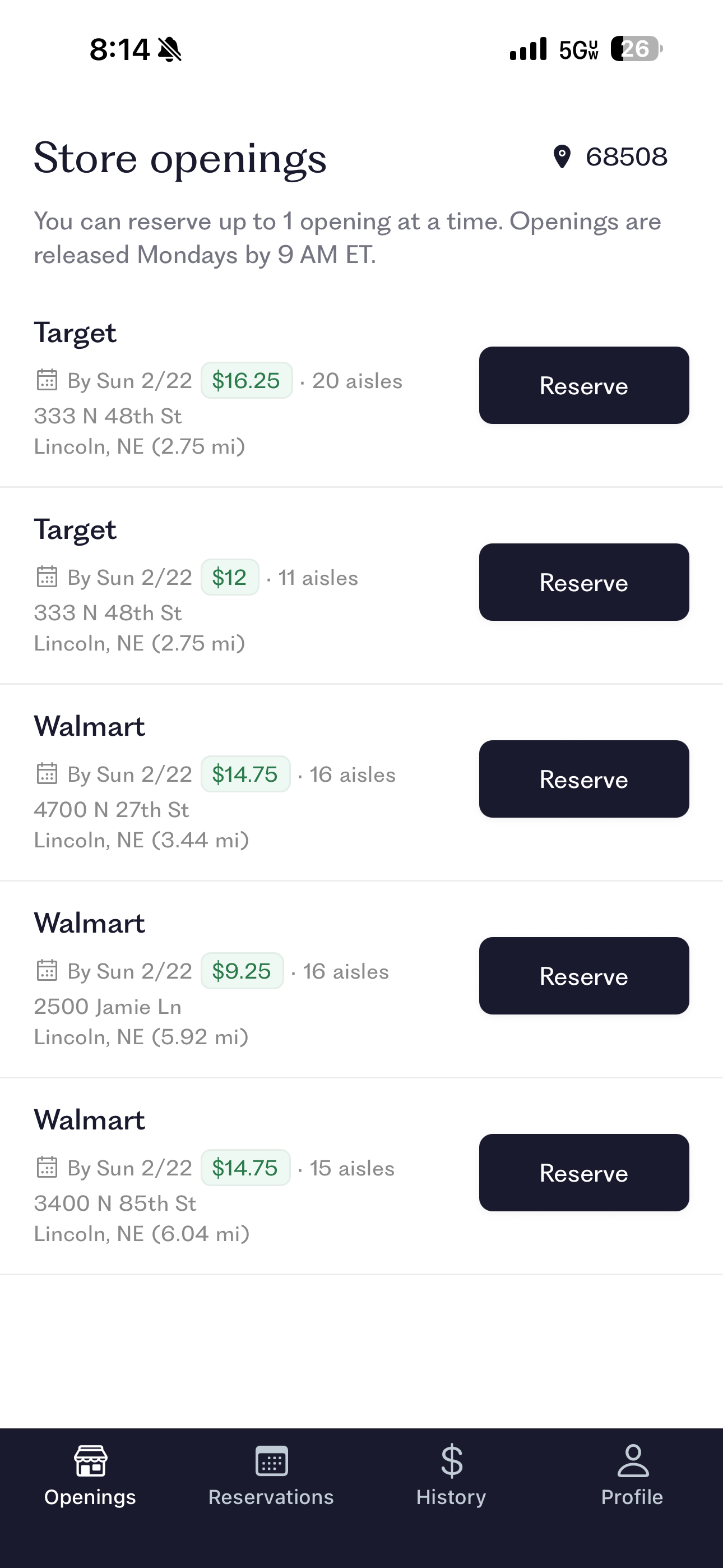
Step 3: Make A Reservation
Choose a store from the Openings page for your first visit. All assignments are completed on a first come first served basis. If there are no stores on the list it means that somebody has already completed all the visits near you.
New Openings are released on Monday between 8am-9am ET. You can reserve stores to complete at a later time. All reservations must be completed by Sunday evening or they will count as skipped.
Once reserved, the store moves into your Reservations Tab.
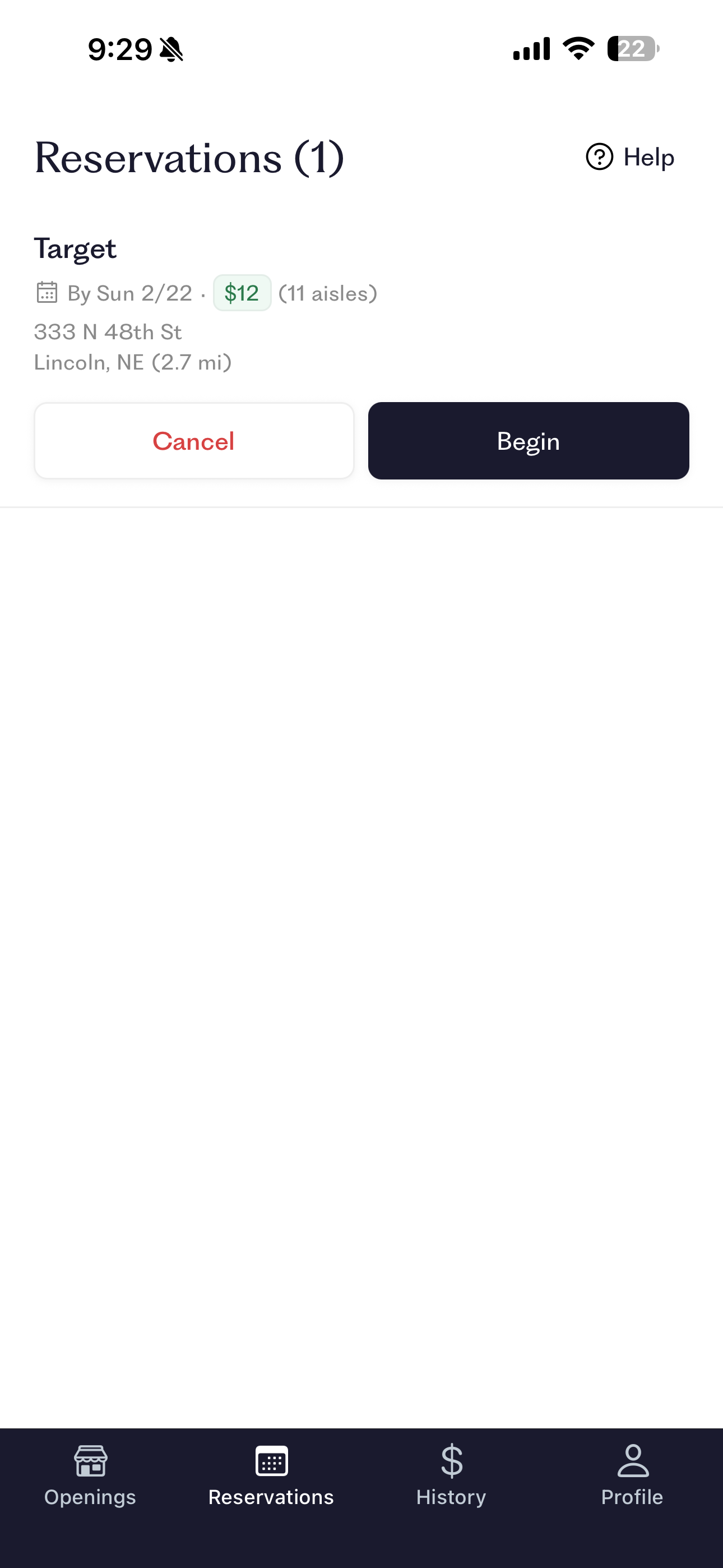
Step 4: Filming the Store
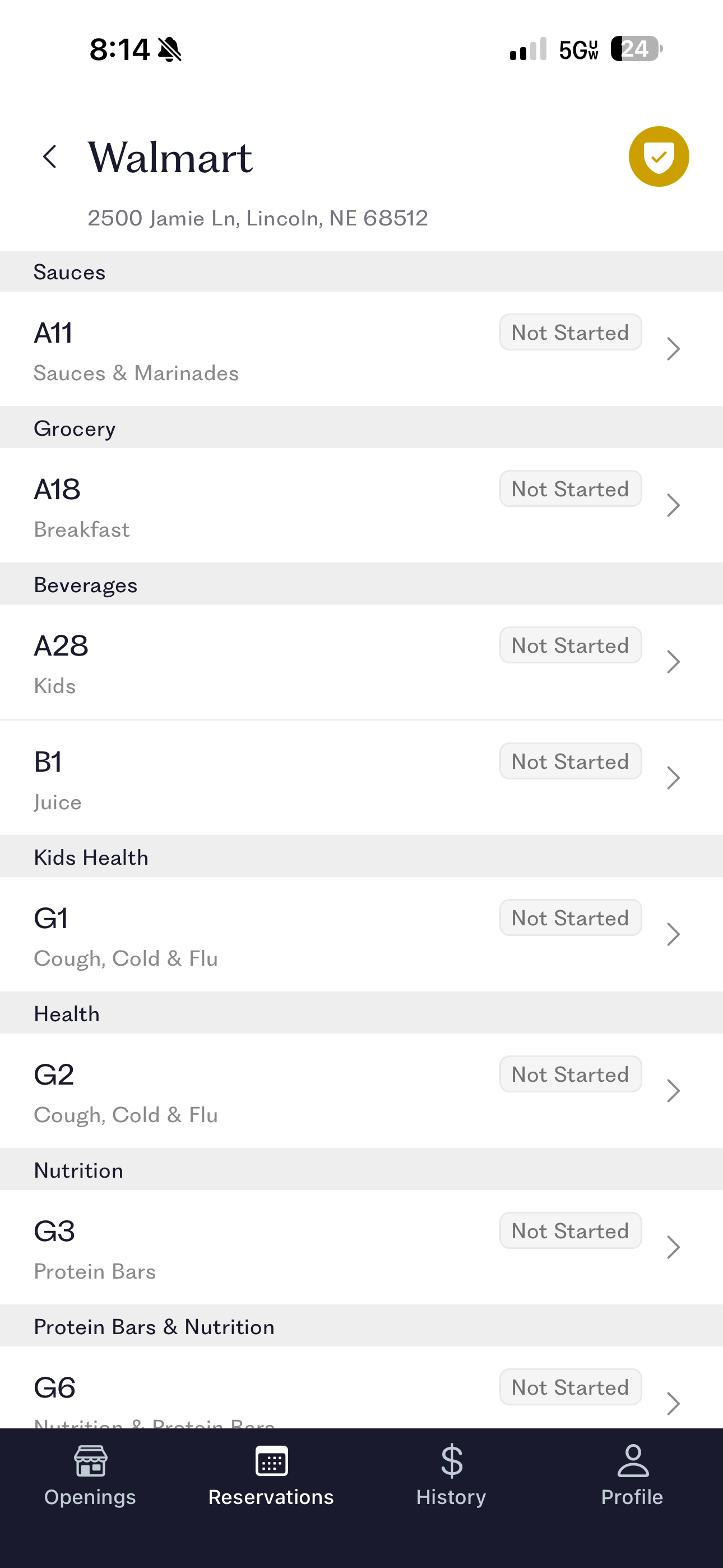
When you’re at the store and ready to begin your assignment, open the reservations tab and click “Begin”. This will bring up a checklist for your assignment showing each aisle that you will need to visit.
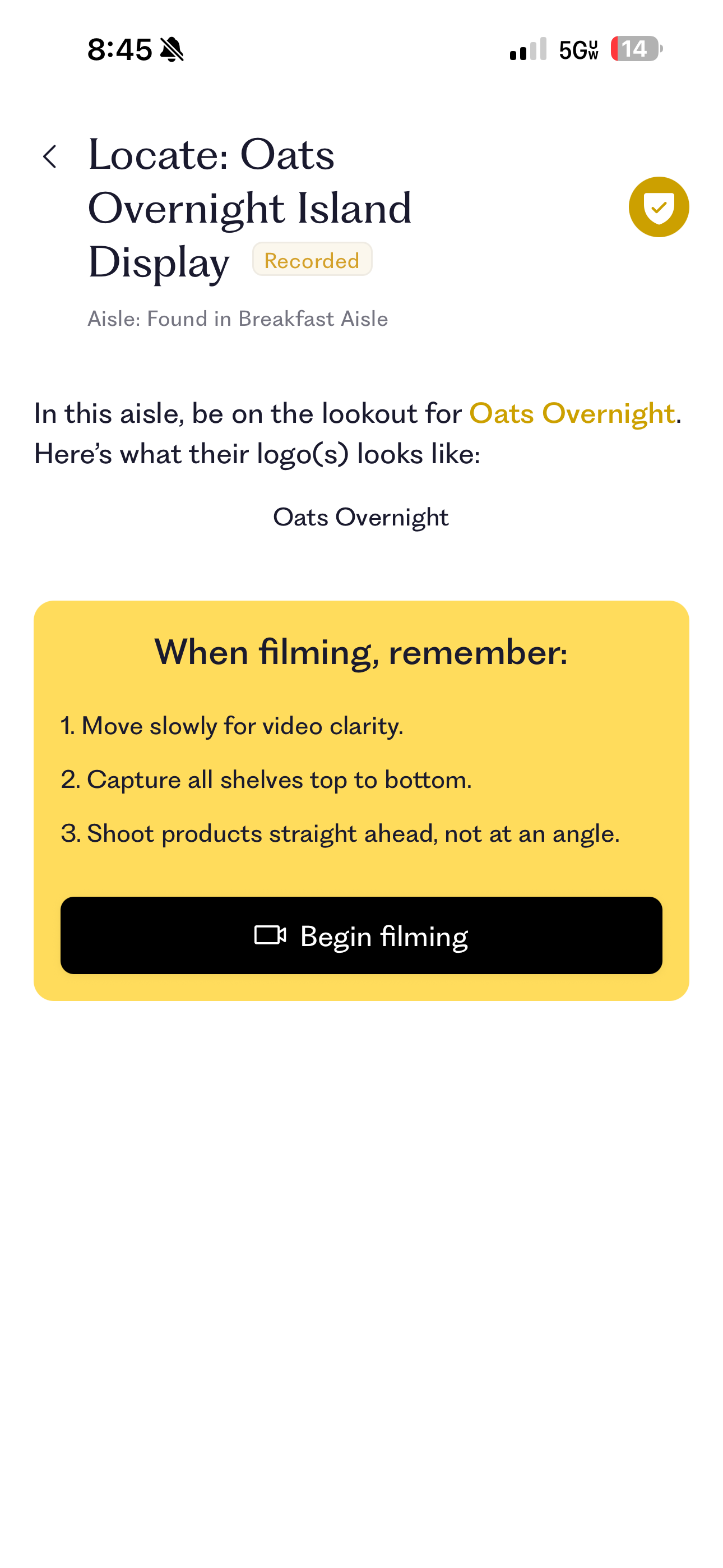
Once you have located the first aisle, select that aisle on your list. This will bring up a new window showing you what brand/s Hetal is especially interested in capturing along with a few reminders.
When you’re ready, click begin filming. This will bring up your camera and allow you to start recording.
Film the entire aisle from end to end
Keep the camera steady
Move at a steady walking pace
Prioritize clear capture of the target brand
Use the pacing bar at the top of the screen as a guide.
Best practices:
Hold your phone steady
Avoid sudden movements
Keep product shelves in frame
If someone briefly walks in front of the camera, continue filming. Incidental capture is unavoidable in public retail environments.
Once you end your recording of the aisle you’ll be given an option to retake the video or submit the video. When you submit the video you’ll be taken back to the assignment checklist screen.
Repeat the video process for each aisle as you move through the store.
At the end of the list of aisles you might come across some special displays like end caps (display at end of aisle) or island displays (freestanding promotional displays). These are usually placed near where you would expect to find that brand but can sometimes take some searching. You can also ask a store employee if there is one nearby.
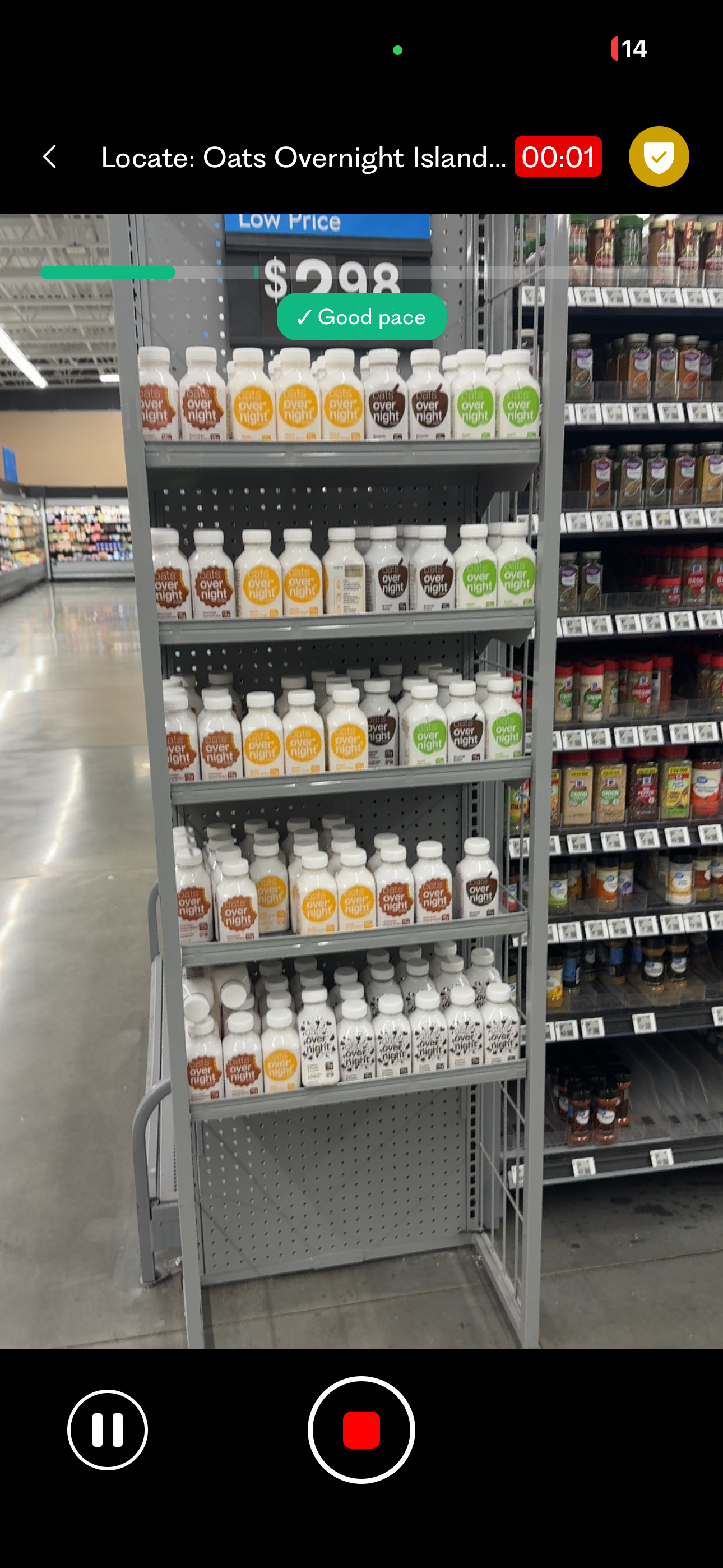
PRO TIPS: READ THIS
I did a few test visits myself and found that the pacing bar is much more kind if you’re holding your phone steady. If you are shaky, you can be completely still and it will still tell you to slow down. I also found it to be EXTREMELY conservative. In my personal experience, if you try to keep the pace bar green the entire time you’ll spend way longer in the store than Hetal estimates.
After doing a couple of assignments myself as a test and speaking with the Hetal team, my advice is move at a reasonable pace for the entirety of the aisle, only making 100% sure the bar is green WHEN THE BRAND THAT WE’RE FILMING THE CURRENTLY AISLE FOR IS IN FRAME (even if you need to pause entirely for a couple of seconds). Being in the orange is generally okay the rest of the time. Keep in mind that our primary purpose here is to capture data for the target brand - the rest of the video is extra data.
Your first visit will very likely take longer than expected. Familiarity increases speed significantly. After my first visit or two I got exponentially faster.
Example Video
Here is an example aisle audit, where the aisle was being filmed to capture Beekeepers Naturals. Notice how the video focuses on the Beekeepers Naturals products, and that the entire aisle only takes about 40 seconds.
FAQ’s
Q: What if I can’t capture the shelf from top to bottom because of my camera zoom?
A: Make sure that you’re ALWAYS capturing the target brand, and aside from that if you have to cut off a shelf, that’s okay. Some retail layouts and aisle widths make it impossible to capture top to bottom.
Q: What if the product that is supposed to be in the aisle isn’t actually in the aisle?
A: Always film the aisle that is listed on the checklist - even if it seems inaccurate. Stores do move things around periodically which can mess up an aisle here and there. You can even film the aisle number in your video to show that you are in the correct aisle.
Q: What if I get stopped by a store employee who says that I’m not allowed to film in store?
A: On the aisle list screen, there is a yellow badge in the top right corner. Clicking this will display a Field Representative credential. Show the in-app credential, identify yourself as working with Hetal Retail, and explain that you are conducting an authorized shelf audit.
Q: What if I can’t find the special displays?
A: Don’t spend more than a few minutes looking for these displays or it will kill your productivity. If you can’t find a display, simply take a video of the floor and submit that. (Note: if you do this too often the AI will learn that you’re not actually looking for the displays)
Step 5: Uploading your Videos
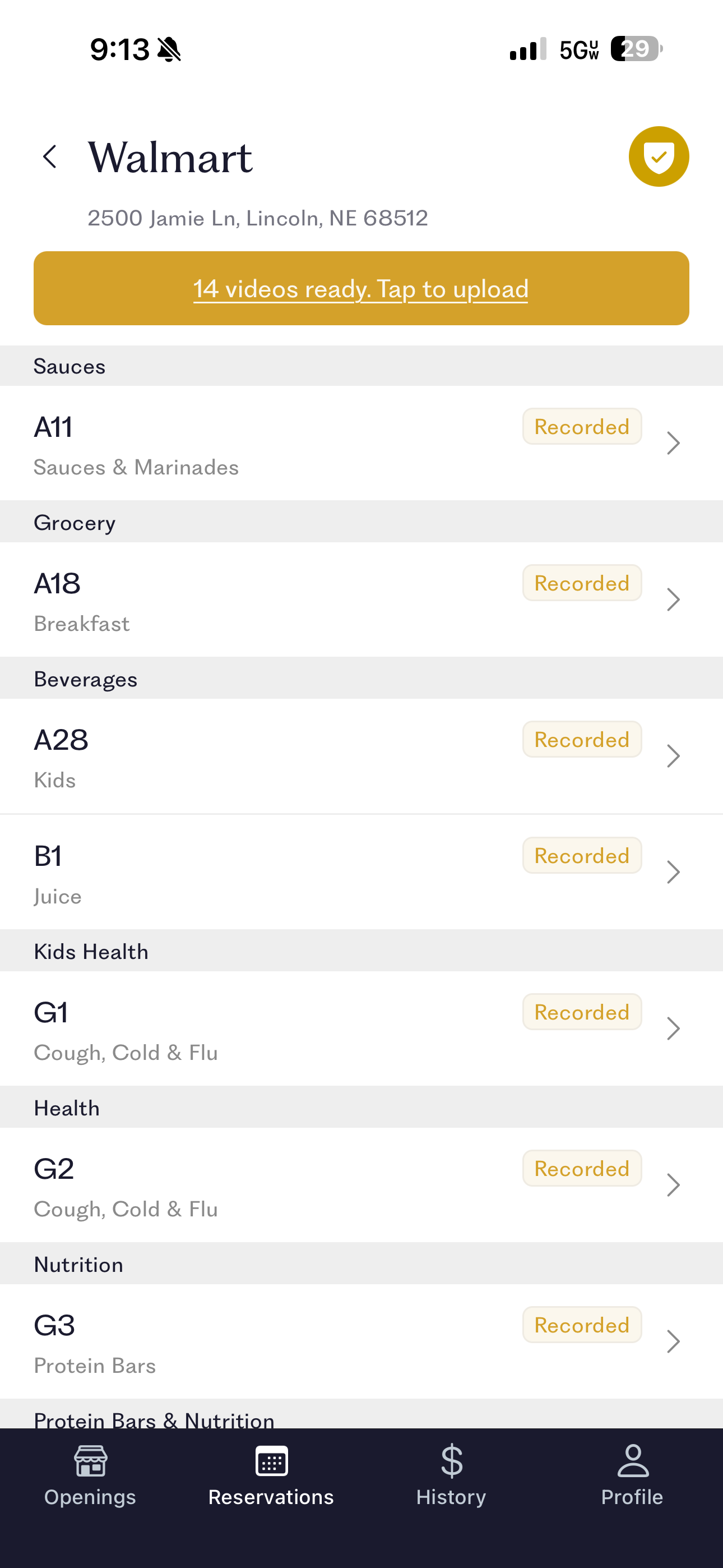
After you’ve completed your aisle checklist, you’ll be prompted to upload all of your videos
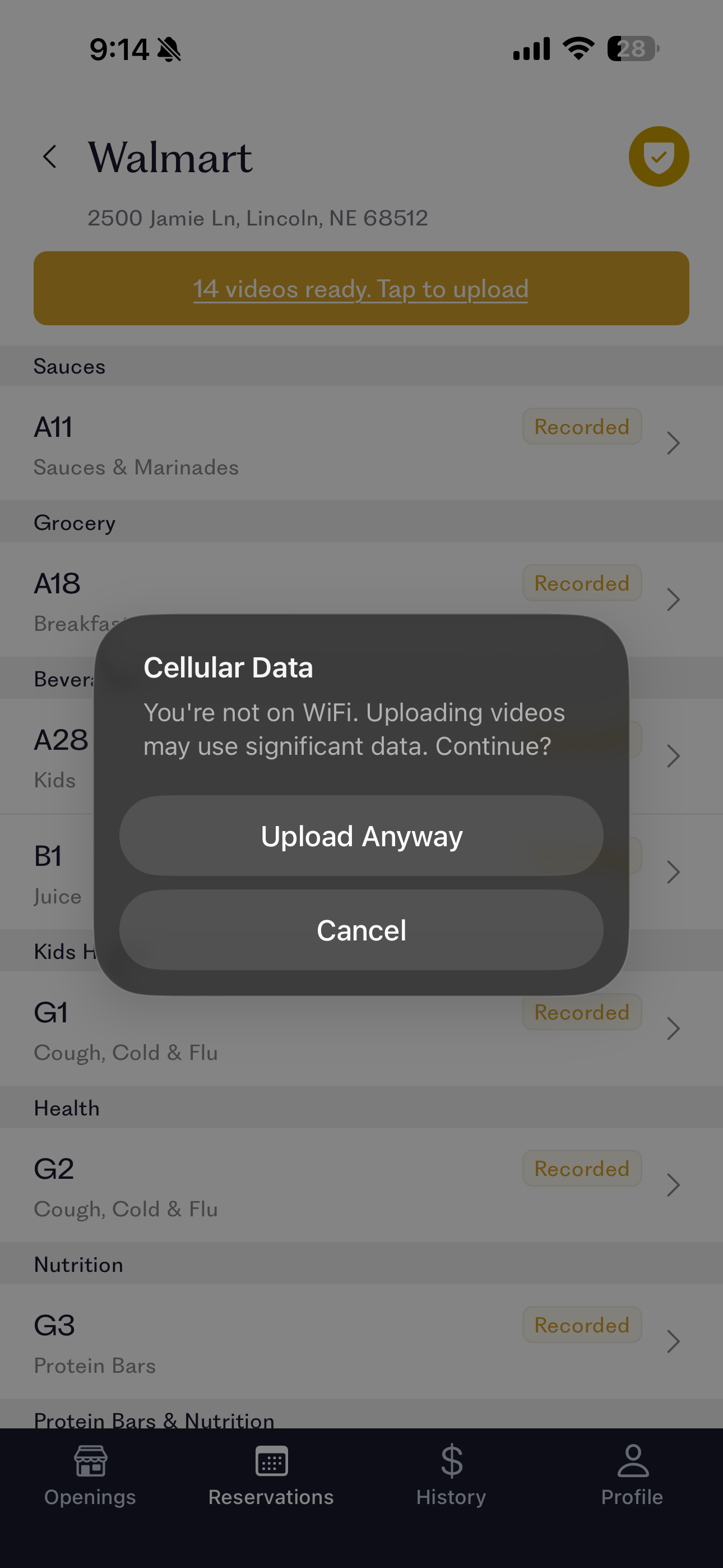
It’s suggested that you upload your videos while connected to Wifi so that you don’t use significant phone data. Once you start your upload it will continue in the background even if you don’t have the app open.
PRO TIP: While you are only permitted to visit one store, you will have to allow your videos to fully upload before you are allowed to reserve another store - so you may want to connect to the current stores wifi and upload before leaving.
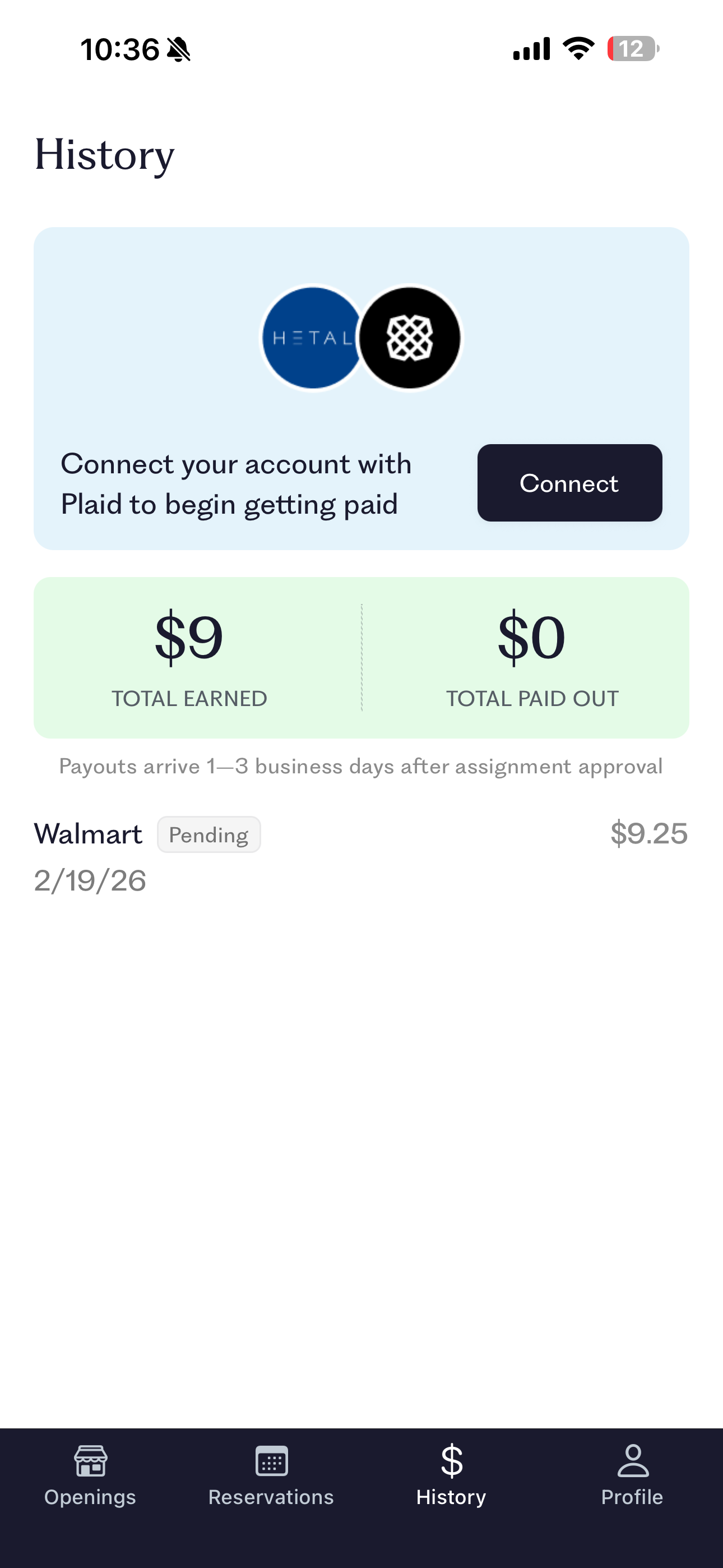
Once you have completed your first assignment, it will move into the history tab and show as pending. Assignments are typically reviewed within 1-2 business days, and payment is sent automatically to your connected account 1-3 business days after your assignment is approved.
Reliability Score
Now that you’ve completed your trial assignment, if you return to the openings tab, you’ll notice that you’re now allowed to reserve another store.
After your Trial Visit has been approved, your reliability score will increase and you will be able to reserve 3 stores at a time.
Hetal maintains an internal reliability score that will increase and decrease your reservation limit.
Your reservation limit increases when:
Assignments are completed successfully
Videos meet quality standards
Reservations are not skipped
Your limit decreases when:
Reservations are made and then not completed
Assignments are rejected
Higher reliability = access to more stores.
Power Users
Hetal’s high-volume users may reserve 20+ assignments at a time depending on location and available stores.
If you are interested in reserving more stores, reach out to me after you have had at least 3 assignments approved. I will request that the Hetal team manually increase your reliability score so that you can reserve a larger number of stores when they are released each Monday.
Find more FAQ’s on Hetal’s website at https://www.hetalretail.com/become-a-hetalite, or in the Hetal app by clicking the help button in the top right corner of the reservations tab.
Sprouts Stores
You may notice that Sprouts stores seem to have a very high aisle number and a very low payout amount. Sprouts doesn’t have traditional aisles like most grocery stores, so in many cases you will not be taking a video of an entire aisle, but rather just a quick 3-5 second video of the product. I can’t give my own experience here as there are no Sprouts stores in my state, but this is what I was told by the Hetal team when I asked why the Sprouts payouts looked so poor for these stores.